
Algebra Solver | CalcSolver Free Algebra Calculator 2026
When I started teaching mathematics and developing calculation tools, I noticed that many students spent more time struggling with algebra than actually understanding it. Solving equations, simplifying expressions, finding the value of x, or working with variables often became frustrating because many online tools either showed only the final answer or were too complicated for everyday use. That experience inspired me to build the CalcSolver Algebra Solver, a smarter algebra calculator that helps you solve algebra problems quickly while showing the logical steps behind every solution.
Whether you need an algebra solver, algebra calculator, solve for x calculator, equation calculator, or an algebra calculator with steps, this tool is designed to make algebra easier for students, teachers, and professionals across the United States. From one-step equations and multi-step equations to algebraic expressions, variables, expanding brackets, and solving for x and y, CalcSolver combines powerful calculation logic with an easy-to-use interface so you can spend less time calculating and more time understanding mathematics.
What Is My Algebra Solver Calculator and How Does It Work?
If you’re trying to solve an algebra equation, simplify an expression, or find the value of a variable, this Algebra Solver Calculator is designed to help you do it faster and with greater confidence. Instead of acting like a basic algebra calculator, it understands what you’re trying to solve and guides you with accurate, step-by-step results.

As soon as you enter an equation or algebraic expression, I analyze the variables, operators, brackets, and mathematical relationships before choosing the correct solving method. Whether you need a solve for x calculator, equation calculator, expression calculator, or algebra solver with steps, you’ll get clear solutions that are easy to follow and understand.
How to Use the CalcSolver Algebra Calculator
Using my Algebra Solver is simple, even if you’re solving algebra for the first time. Whether you need an equation calculator, expression calculator, variable calculator, or a solve for x calculator, just follow these four quick steps to get accurate answers with clear explanations.
Enter Your Algebra Problem
Start by typing your algebra problem into the calculator exactly as you see it. You can enter an equation, algebraic expression, variables, fractions, exponents, or brackets, such as x + 5 = 12, 3(x + 2), or 2x² + 4x – 6. The Algebra Calculator automatically recognizes your mathematical input without requiring complicated formatting.
Choose the Operation You Want to Perform
Next, select what you want the calculator to do. You can solve for x, simplify an expression, evaluate variables, expand brackets, or solve an equation depending on your problem. My Algebra Solver instantly identifies the correct operation, so you don’t have to guess which mathematical method to use.
Review the Step-by-Step Solution
After processing your input, the CalcSolver Algebra Calculator generates a complete solution with logical steps instead of only displaying the final answer. This helps you understand how each equation is solved, making it easier to learn algebra and avoid repeating the same mistakes.
Continue Solving More Equations
Once you’ve finished one calculation, you can immediately enter another equation or expression without restarting the calculator. Whether you’re checking homework, practicing solve for x problems, or using it as a daily calc tool, you can solve multiple algebra questions quickly and efficiently.

What Can This Algebra Solver Calculate?
From my experience, most people don’t struggle with algebra because it’s difficult—they struggle because they don’t know which method to use. That’s exactly why I designed this Algebra Solver to handle different types of algebra problems automatically. Whether you’re a beginner using an Algebra 1 Calculator or someone solving advanced equations, the tool recognizes your problem first and then applies the correct mathematical rules to produce accurate, step-by-step solutions.
Solve for x
One of the most common questions I receive is, “How do I find the value of x?” Instead of isolating the variable manually, simply enter an equation like 3x + 5 = 20 into the X Calculator. The calculator subtracts 5 from both sides, divides by 3, and shows that x = 5, explaining every step so you understand the solution rather than memorizing it.
Solve for y
Many algebra problems require solving for y, especially when working with linear equations. For example, if you enter 2y – 8 = 12, the calculator adds 8 to both sides and then divides by 2 to show y = 10. This makes it an excellent Math Solver for students learning how to isolate variables correctly.
Solve for x and y
When an equation contains two unknown variables, solving it manually can become confusing. Using the Solve for X and Y Calculator, you can enter equations such as x + y = 10 and 2x – y = 5. The calculator analyzes both equations together, eliminates one variable, and calculates the values of x = 5 and y = 5 with complete mathematical reasoning.
Simplify Algebraic Expressions
Algebra isn’t always about finding an answer; sometimes you simply need to simplify an expression. If you enter 4x + 3 – 2x + 7, my Algebra Calculator with Steps combines the like terms and simplifies the expression to 2x + 10. This helps you understand how algebraic simplification works before moving on to more advanced topics.
Evaluate Expressions
Evaluating an expression means replacing variables with known values and calculating the result. For example, if the expression is 3x² + 2 and x = 4, the Math Solver Calculator substitutes the value of x, calculates 3(4²) + 2, and returns the final answer of 50 with every intermediate step clearly explained.
Expand Brackets
Expanding brackets is one of the most common mistakes I see students make. Enter an expression like 3(x + 4) into the Expanding Brackets Calculator, and it applies the distributive property correctly to produce 3x + 12. The calculator explains why every term inside the bracket must be multiplied, making the concept much easier to understand.
Combine Like Terms
Many expressions contain terms that can be merged into a simpler form. For example, entering 5x + 2 – 3x + 6 into my Calc Solver groups the like terms together and simplifies the expression to 2x + 8. Watching each step helps you recognize which terms can be combined and which cannot.
Solve One-Step Equations
If you’re just beginning algebra, one-step equations are the perfect place to start. Enter x + 9 = 15 into the One Step Equations Calculator, and it immediately subtracts 9 from both sides to show x = 6. This feature is especially useful for students using an Algebra 1 Calculator who want to build confidence with basic algebra concepts.
Solve Two-Step Equations
Two-step equations require performing more than one operation in the correct order. For example, entering 2x + 6 = 18 allows the calculator to subtract 6 first and then divide both sides by 2, producing x = 6. If you’re learning to solve algebra problems, seeing each operation separately makes the solving process much easier to follow.
Solve Multi-Step Equations
Some equations contain brackets, fractions, and several operations that can overwhelm even experienced learners. Enter an equation such as 3(x + 2) – 4 = 17 into this Calculator for Algebra, and it expands the brackets, simplifies the expression, isolates the variable, and finally calculates x = 5. Whether you’ve previously used a MathPapa Calculator, Calculator Algebra, or another Algebra Calculator Free, this Math Calculator is designed to help you solve complex algebra problems while understanding every mathematical step.

Supported Mathematical Operations in Our Algebra Calculator
Every algebra problem is built from a combination of mathematical operations. Instead of expecting you to choose the correct method manually, I designed the CalcSolver Algebra Calculator to recognize each operation automatically. Whether you’re simplifying an expression, solving an equation, or working with multiple variables, the calculator processes the problem using the appropriate algebraic rules before generating a clear, step-by-step solution.
Addition (+)
Combines numerical values and like algebraic terms while maintaining mathematical accuracy.
Subtraction (-)
Subtracts numbers or algebraic terms and simplifies the expression by combining like terms where possible.
Multiplication (×)
Multiplies numbers, variables, coefficients, and expressions using standard algebraic properties.
Division (÷)
Divides coefficients and isolates variables to simplify expressions or solve equations.
Exponents
Evaluates powers and applies exponent rules when simplifying or solving equations.
Roots
Solves square roots and other radical expressions while simplifying the equation correctly.
Fractions
Simplifies, adds, subtracts, multiplies, and solves algebraic fractions step by step.
Parentheses (Brackets)
Expands brackets using the distributive property and simplifies the resulting expression.
Variables
Identifies unknown variables, isolates them, and calculates their values automatically.
Powers
Solves equations containing powers by applying inverse operations or algebraic identities.
No matter which operation your problem contains, the calculator processes it automatically before displaying the final answer. This allows you to focus on understanding algebra instead of remembering every mathematical rule or formula yourself.
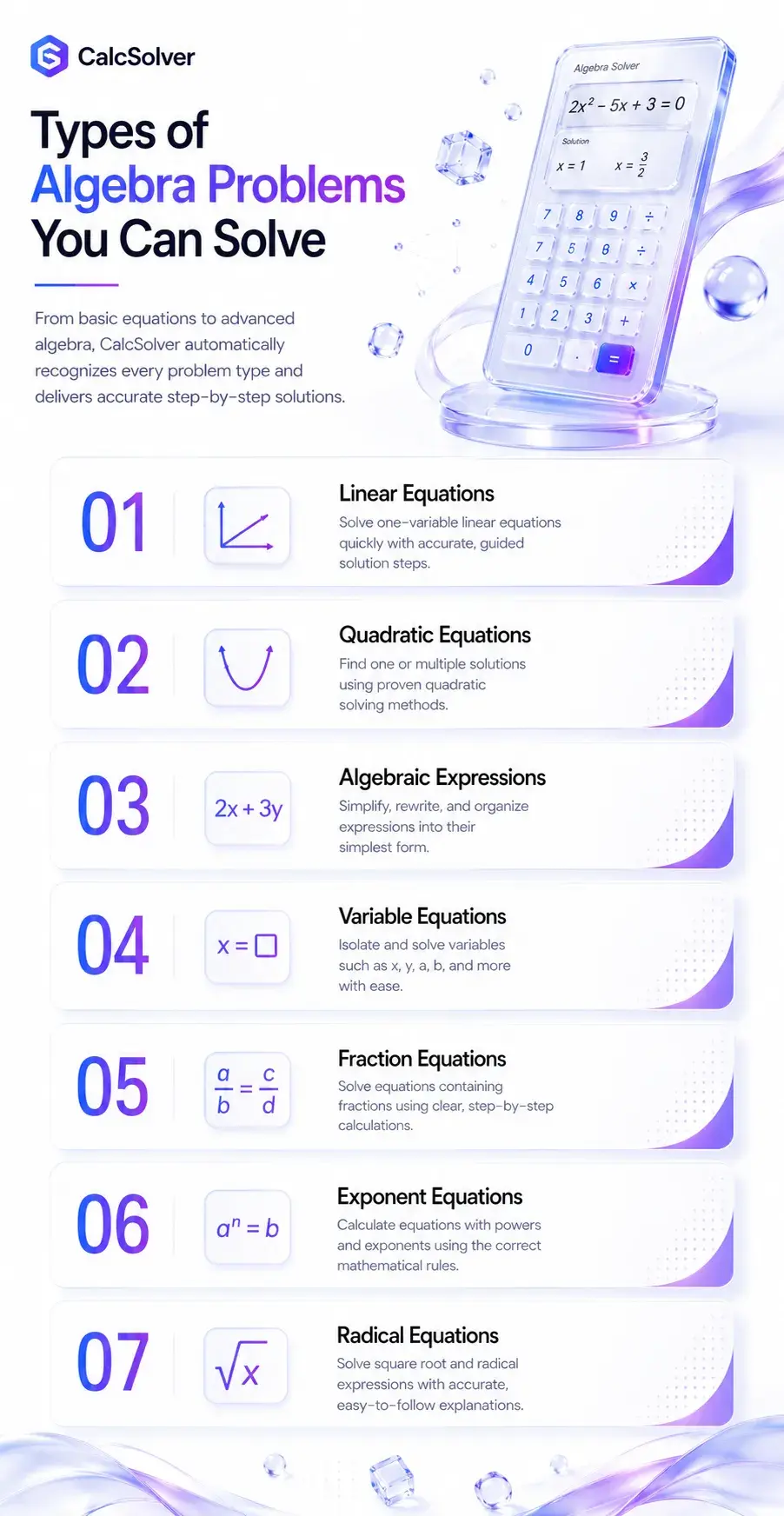
Types of Algebra Problems You Can Solve
Every algebra problem follows a different set of mathematical rules, so using the same method for every question often leads to mistakes. That’s why I designed this Algebra Solver to recognize the type of problem first and then apply the correct solving technique automatically. Whether you’re using it as an Algebra Math Calculator, Expression Solver, Solve Calculator, or Cal Solver, you can solve everything from simple equations to advanced algebra with confidence.
Linear Equations
Linear equations contain variables with a highest power of 1 and usually produce a straight-line graph. For example, if you enter 4x + 8 = 24, the calculator subtracts 8 from both sides and divides by 4 to show x = 4. If you’re solving for x or need to solve for y in equations like 3y + 6 = 18, the calculator follows the same logical process while explaining each step.
Quadratic Equations
Quadratic equations contain variables raised to the power of 2, making them more challenging than linear equations. Enter an equation like x² – 9 = 0, and the calculator factors it into (x – 3)(x + 3) = 0, giving the two solutions x = 3 and x = -3. Whether you’re using a Find X Calculator or trying to solve algebra equations, every step is displayed so you understand how multiple solutions are found.
Algebraic Expressions
Not every algebra problem requires solving an equation. Sometimes you simply need to simplify or rewrite an expression. For example, entering 5x + 3 – 2x + 8 into the Algebraic Expression Calculator combines the like terms and simplifies the result to 3x + 11. This makes the tool an effective Expression Solver for classroom practice, homework, and exam preparation.
Equations with Variables
Many algebra questions include one or more unknown variables that must be isolated before finding the answer. For example, if you enter 5a – 10 = 40, the Solve for Variable Calculator isolates the variable by adding 10 and dividing by 5 to calculate a = 10. The calculator works with different variable names such as x, y, a, b, or n, making it much more flexible than a basic calculator.
Fraction Equations
Fraction equations often confuse students because they involve denominators as well as variables. For example, entering x/4 + 3 = 8 allows the calculator to subtract 3 first and then multiply both sides by 4, giving the final answer x = 20. Whether you’re using a Two Step Equation Calculator or 2 Step Equations Calculator, the solution is presented one operation at a time to make the algebra easier to follow.
Equations with Exponents
Equations containing exponents require a different mathematical approach because the variable is raised to a power. For example, if you enter x² = 49, the calculator applies the square root to both sides and returns x = 7 and x = -7. This feature helps students understand why exponential equations often produce more than one valid solution.
Radical Equations
Radical equations contain square roots or other root expressions and require careful simplification before solving. For example, entering √(x + 9) = 5 prompts the calculator to square both sides, simplify the equation, and calculate x = 16. Whether you’ve previously used MathPapa, MathPapa Algebra, Algebra Kalkulator, or another Multi Step Equations Calculator, this tool explains each transformation clearly so you can understand the complete solving process instead of simply memorizing the answer.
Technical Workflow of this Algebra Solver
When you enter an algebra problem into my calculator, you’re not just using a simple formula-based tool. You’re using a calculation engine that I designed to understand how mathematicians actually solve algebra. Before you ever see an answer, your problem passes through several intelligent processing stages that work together to produce an accurate, logical, and easy-to-understand solution.
Input Recognition
The first thing I do is understand exactly what you’ve typed. Whether you enter 3x + 5 = 20, 2(x + 4), √(x + 9), or x² – 16 = 0, my system instantly recognizes every number, variable, operator, bracket, fraction, and mathematical symbol. This allows me to understand your problem the same way a math teacher would before attempting to solve it.
Variable Detection
Once your problem is recognized, my next job is identifying every unknown variable. I automatically detect variables like x, y, a, b, or multiple variables within the same equation. If you enter 2x + 3y = 18, I immediately recognize that both variables are connected and prepare the equation for the correct solving strategy.
Expression Parsing
Simply reading an equation isn’t enough. I reorganize your entire expression into a structured mathematical model that my solving engine can understand. For example, when you type 3(x + 2)² – 4, I separate the coefficients, powers, brackets, constants, and variables into logical components before performing any calculations. This makes even complex algebra problems much more accurate to solve.
Equation Classification
Every algebra problem is different, so I never apply the same method to every equation. I first determine whether you’re solving a linear equation, quadratic equation, algebraic expression, fraction equation, radical equation, or another algebra problem. Once I know the problem type, I automatically choose the mathematical strategy that produces the most accurate solution.
Operator Precedence
Mathematics follows a strict order of operations, and my calculator never ignores it. I process brackets first, then exponents, followed by multiplication, division, addition, and subtraction in the correct sequence. This prevents the common mistakes that happen when operations are performed in the wrong order and ensures every answer remains mathematically correct.
Algebra Rule Selection
After identifying your equation, I select the exact algebra rules needed for that specific problem. Depending on your input, I may combine like terms, isolate variables, expand brackets, simplify fractions, factor expressions, balance both sides of an equation, or apply exponent rules. Every decision is made automatically so you don’t have to figure out which algebra technique should come next.
Calculation Engine
This is where the real work happens. I built the calculation engine to process algebra step by step instead of jumping directly to the answer. Every transformation is verified before moving forward, allowing the calculator to solve everything from basic homework questions to advanced algebra problems involving multiple variables, fractions, powers, and nested expressions with a high level of precision.
Step Generation
One of my biggest goals was helping you learn, not just giving you an answer. As the calculator solves your problem, I record every mathematical transformation and convert it into clear, logical steps. This lets you follow the complete solving process exactly as you would in a classroom instead of trying to guess how the final answer was reached.
Final Answer Generation
Before I display the final result, I perform one last validation to make sure every calculation is mathematically consistent with your original equation. Only after those checks are complete do I present the answer. My goal is to give you a solution that isn’t just fast, but one you can confidently trust, understand, and use to solve similar algebra problems on your own.

Common Algebra Mistakes and Their Solutions
I’ve reviewed thousands of algebra questions over the years, and I keep seeing the same mistakes repeated by students. The good news is that most of these errors are easy to avoid once you know what to look for. Before you spend time trying to find the mistake yourself, use my Algebra Solver to verify your work and understand exactly where the calculation went wrong.
Solving operations in the wrong order
Students often add or subtract before completing multiplication, division, or brackets.
My calculator automatically follows the correct order of operations, so every equation is solved using the proper mathematical sequence.
Forgetting to distribute brackets
Many learners multiply only the first term inside the bracket instead of every term.
If you enter 3(x + 4), the calculator expands it correctly to 3x + 12 and explains every step.
Combining unlike terms
Terms with different variables or exponents are incorrectly added together.
For example, 5x + 3y cannot become 8xy. My calculator combines only valid like terms and leaves different variables unchanged.
Moving terms to the opposite side incorrectly
Positive and negative signs are often changed incorrectly while solving equations.
If you solve 4x + 7 = 19, I show why 7 becomes −7 only after subtracting it from both sides, helping you avoid sign errors.
Incorrectly solving fraction equations
Students frequently multiply or divide only part of the equation instead of both sides.
Enter x/5 + 2 = 7, and I’ll solve the fraction correctly while showing why every operation must be applied equally.
Ignoring exponent rules
Exponents are sometimes multiplied or simplified using incorrect algebra rules.
For example, x² × x³ correctly becomes x⁵, and my calculator explains the exponent rule used to reach the answer.
Expanding powers incorrectly
Expressions like (x + 2)² are often expanded as x² + 4 instead of the correct result.
My solver expands powers accurately and shows every intermediate calculation, helping you understand where the extra term comes from.
Using the wrong equation-solving method
Students often try the same technique for linear, quadratic, and radical equations.
Before solving anything, I identify the equation type and automatically apply the correct algebra method for that specific problem.
Losing track of multiple variables
Equations containing x and y can become confusing when variables are mixed together.
My calculator separates each variable, organizes the equation logically, and solves it using the correct mathematical approach.
Accepting the first answer without checking it
Many people stop after finding a value without verifying that it satisfies the original equation.
Before showing the final result, I validate the solution against your original equation so you receive an answer you can confidently trust.
Whenever you’re unsure about your work, don’t just look for the final answer. Compare your solution with the step-by-step explanation in my calculator. You’ll quickly identify the exact step where the mistake occurred, making it much easier to improve your algebra skills and avoid repeating the same error in future problems.
FAQs
Conclusion
Whether you’re learning algebra for the first time or solving advanced equations every day, having the right tool can save time and help you understand mathematics more effectively. I created the CalcSolver Algebra Solver to do more than calculate answers. My goal is to help you solve equations, simplify algebraic expressions, understand every step, and build the confidence to solve similar problems on your own.
From solving for x and y to working with fractions, exponents, radicals, and multi-step equations, this Algebra Calculator is designed to deliver fast, accurate, and easy-to-follow solutions. Whenever you need a reliable Algebra Calculator with Steps, simply enter your problem, review the explanation, and let CalcSolver help you learn algebra the smarter way.